Why MIDI-First Matters for Musicians


Every AI music tool makes a choice about what it gives you at the end. That choice determines everything about how useful the tool actually is.
When an AI music platform generates a finished audio file, it has made a decision on your behalf. The arrangement is set. The mix is baked in. The instrumentation is locked. You can listen to what the system produced, and if it is close enough to what you wanted, you can use it. But if it is not quite right — if the bass sits too high in the mix, if the drum pattern does not match the feel of your track, if the key is slightly off from where you need it — you have very few options. You can regenerate and hope the next version is better. You can accept something that does not fully serve your music. Or you can walk away.
This is the fundamental limitation of audio-first AI music tools. The output looks like a finished product, but for a working musician it functions more like a suggestion you cannot edit. BandM8 was built around a different output entirely. Every track BandM8 generates is delivered as MIDI-first — editable, flexible, and ready to drop into any professional production environment. That is not a technical footnote. It is the entire point.
What MIDI Actually Is
MIDI stands for Musical Instrument Digital Interface. It has been the backbone of professional music production since the early 1980s, and in 2026 it remains the universal language of every major digital audio workstation on the market. MIDI is not audio. It does not contain sound. What it contains is instructions — note data that tells a synthesizer, a sampler, or a DAW instrument what to play, when to play it, how hard to hit it, and how long to hold it.
Because MIDI is instruction data rather than audio data, it is infinitely editable. Every note in a MIDI file can be moved, lengthened, shortened, transposed, or deleted. An entire drum pattern can be rebuilt from scratch without touching the bass line. A piano part can be shifted up an octave without affecting anything else in the arrangement. The tempo of the entire track can be changed without distorting the sound of any instrument. None of this is possible with a finished audio file.
Professional producers have worked in MIDI for decades because it gives them complete control over every musical decision in a track. When BandM8 outputs MIDI generation rather than audio, it is delivering its output in the format that professionals actually use — not a compressed, final version designed for casual listeners.
The Problem With Fixed Audio Output
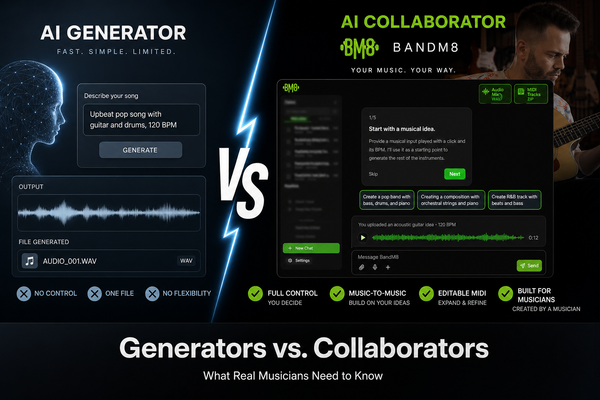
Text-to-music platforms like Suno AI and Udio produce audio files. This makes sense for their use case — someone who wants background music for a video or a quick demo of a song idea does not necessarily need MIDI. They need something they can listen to. But for a musician building a real track, a fixed audio file is often more limiting than useful.
Consider what happens when a bedroom producer generates an AI track in audio format and then tries to integrate it with their existing project. The tempo may be close but not exact. The key may be right but the harmonic choices may not match the producer's vision. The drum sound may be completely wrong for the genre they are working in. Every one of these problems requires either regenerating the entire track or performing complex audio manipulation — pitch shifting, time stretching, stem separation — just to make the output usable.
With MIDI output, none of these problems exist. The tempo is already synced because MIDI is tempo-agnostic — it follows whatever BPM the DAW is set to. The key can be transposed in seconds. The drum sounds can be replaced entirely by swapping the MIDI data onto a different drum kit. The harmonic choices can be edited note by note. The DAW integration is seamless because MIDI was designed for exactly this workflow.
Audio gives you something to listen to. MIDI gives you something to work with.
Multi-Track Output and What It Unlocks
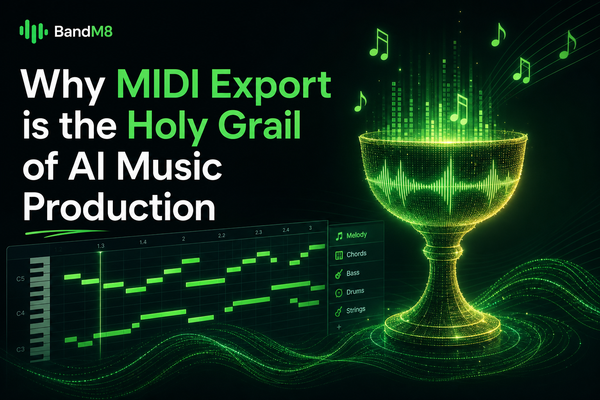
BandM8 does not generate a single MIDI file. It generates multi-track MIDI — separate instrument stems for drums, bass, keys, guitar parts, and any additional instrumentation the system builds around a musician's input. Each stem is its own editable track. Each one can be modified independently without affecting the others.
This matters enormously for real production workflows. A songwriter who loves the chord progression BandM8 generated for the keys but wants completely different drums can keep the keys and replace the drums entirely. A producer who wants to use BandM8's bass line but layer it under their own recorded guitar can do exactly that. A musician who wants to export only the rhythm section and build everything else themselves has that option too.
Stem export gives musicians granular control over every element of the AI-generated arrangement. This is how professional session work actually functions — each player contributes their part, and the producer decides what stays, what goes, and what gets rebuilt. BandM8 replicates that workflow with AI, delivering individual parts rather than a single undifferentiated mix.
How BandM8 Generates MIDI From a Live Performance
The process starts with the musician. A ten-second clip of a live instrument — guitar, piano, bass, anything with a clear melodic or harmonic signal — is fed into BandM8. The platform performs audio-to-MIDI analysis, identifying the pitch content, rhythmic feel, and harmonic structure of the input. From there it generates a full accompaniment — real-time accompaniment built specifically around what the musician actually played.
Key detection is automatic. The musician provides genre and BPM. Everything else — harmonic structure, voicing decisions, rhythmic density, instrumentation — is handled by BandM8's AI, which was trained on licensed MIDI to understand how instruments interact with each other across different musical styles and contexts.
The output arrives as individual MIDI tracks, ready to open in any DAW. There is no conversion step. There is no audio-to-MIDI translation needed on the other end. The musician goes from playing their instrument to having a full, editable multi-track arrangement in the same session.
Adjusting the Output Without Opening a MIDI Editor
One of the features that separates BandM8 from every other MIDI generation tool is how musicians interact with the output before they ever open a DAW. BandM8's conversational music control lets musicians adjust the generated MIDI using natural language direction — the same way they would direct a session musician in a recording studio.
Two of the primary controls are note density and polyphony. Note density controls how many notes are generated per bar — more notes creates a busier, more complex feel; fewer notes creates space and simplicity. Polyphony controls how many notes are sounding simultaneously — higher polyphony produces richer, fuller chords and harmonies; lower polyphony creates a more sparse, single-note feel.
A musician can prompt BandM8 directly: "make the piano busier" increases note density on the keys track. "Make the drums sparser" reduces note density on the drum track. "Simplify the bass line" reduces both density and polyphony on the bass. These adjustments happen through the Music Prompt system, which translates musical intent into MIDI parameter changes without requiring the musician to understand what a MIDI parameter is.
MIDI-First and the Professional Workflow
For DAW-native creators — musicians and producers who already live inside Ableton, Logic, FL Studio, or Pro Tools — BandM8's MIDI output integrates directly into an existing workflow without disruption. There is no new software to learn. There is no proprietary format to work around. MIDI is MIDI, and BandM8's output opens in any production environment exactly like any other MIDI file.
This is a deliberate choice. BandM8 was not built to replace a musician's DAW or their existing production setup. It was built to add a responsive, intelligent collaborator to whatever workflow the musician already has. The MIDI goes in. The musician takes over. The creative process continues exactly as it would with any other session musician's contribution — except the session musician was available at 2am, never needed to be booked in advance, and responded to the input immediately.
For musicians who are newer to production and do not yet have a DAW workflow, BandM8's output provides a complete, professional-grade starting point. The multi-track MIDI arrangement BandM8 generates is exactly the kind of foundation a producer would build a track from — it just arrives fully formed, ready to refine rather than requiring hours of construction before the creative work can begin.
Why the Training Data Behind the MIDI Matters
The quality and character of BandM8's MIDI output depends entirely on what the system was trained on. BandM8 uses licensed MIDI training — the model was developed exclusively on MIDI data that was properly licensed or copyright-free. This means two things. First, the system has genuine musical knowledge: it understands how instruments interact, how harmony works across different genres, how rhythm functions in different musical contexts. It was not trained on scraped audio data converted to MIDI approximations. It was trained on actual MIDI, which means its understanding of music is built on the real language of music production.
Second, it means the output is copyright-safe. The legal battles that have defined the AI music industry in 2024 and 2025 have almost all centered on training data — what was scraped, who was not asked for permission, and what the legal status of outputs from those models actually is. BandM8 sidesteps these questions entirely because its training data was handled correctly from the start. The musician who creates with BandM8 owns what they make, and there is no underlying legal ambiguity about where the AI's knowledge came from.
The Format That Respects the Musician
There is something deeper in the decision to build MIDI-first that goes beyond technical capability. Delivering MIDI instead of audio is a statement about what kind of tool BandM8 intends to be. A fixed audio file says: here is what we made, take it or leave it. A MIDI file says: here is the foundation we built from your playing — now finish it however you want.
The first model treats the musician as a consumer of AI output. The second treats the musician as the author of the final work. Creator ownership is not just a legal position for BandM8 — it is built into the format of the output itself. When the musician receives editable MIDI, they receive something they can genuinely claim as their own. They shaped the input, they directed the generation, and they will finish the arrangement. The AI contributed skill, not authorship.
That distinction is what makes MIDI-first more than a feature. It is the reason BandM8 belongs to a different category than every other AI music tool on the market — and it is the reason that category is built to last.
Play something. BandM8 builds the band.
Try BandM8 free and hear what happens when AI plays with you.
Get Started